
Select 한국어 in the original menu
The button shows the currently selected language, so it may read English, 한국어 or another language when you arrive. Use that button rather than assuming Korean lives inside a separate patch installer.
- Open the language menu
On the original main screen, select the current-language button at the top right, beside Options.
- Choose 한국어
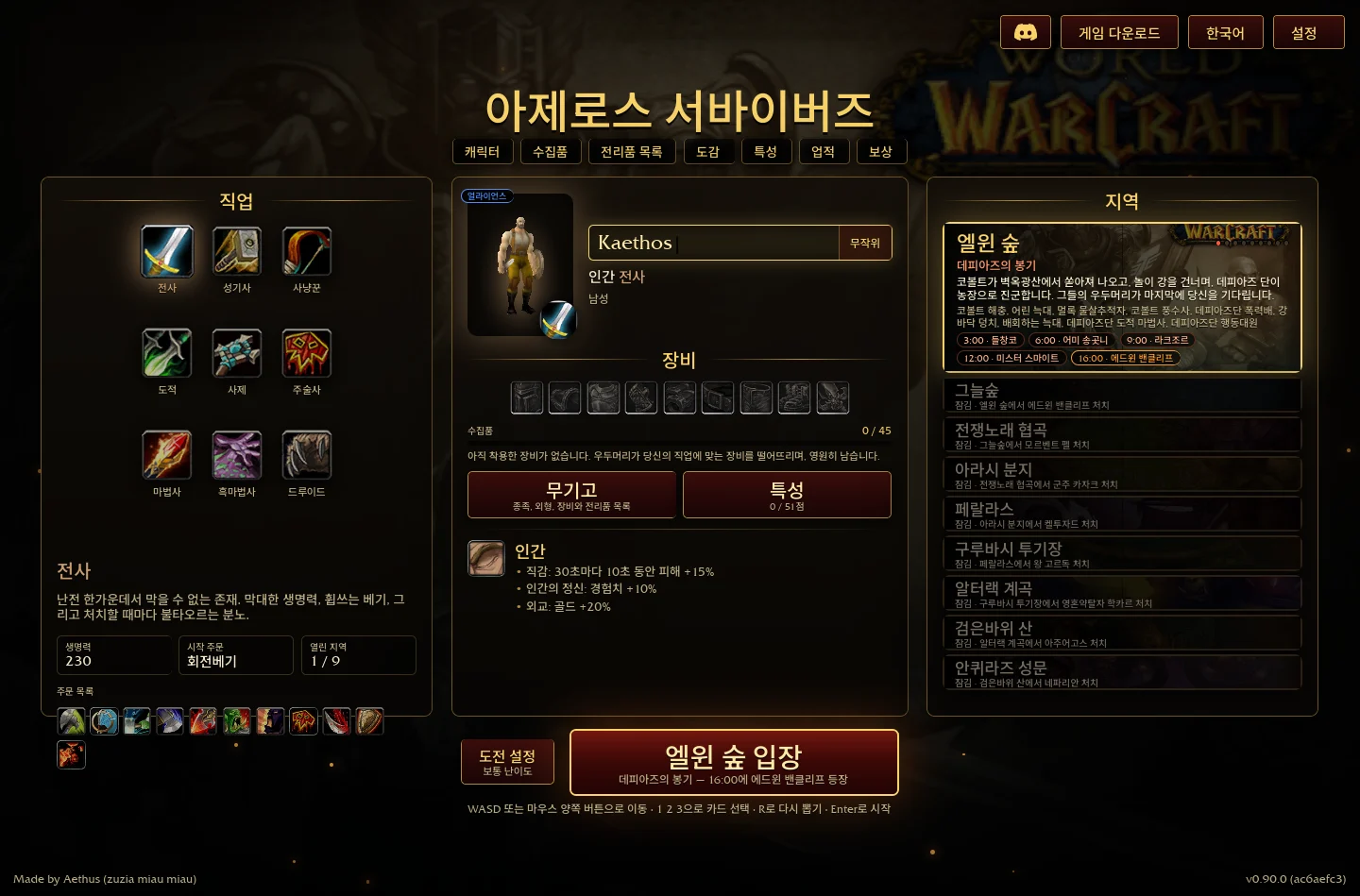
Select 한국어 from the language list. The main screen switches to Korean, including the title, class labels and zone information.
- Switch back if needed
Open the same current-language button again and choose English or another displayed language. The selector remains in the top-right area after switching.
Why the community patch instructions are crossed out
The uckdoman patch repository says distribution stopped because Korean localisation was provided by the original project. Its older installation and rollback instructions are struck through.
That notice explains the patch’s status. It does not prove that every older Windows archive includes the same menu, or that every game string is translated. The browser switch above was separately observed in V0.90.0.
If your package does not show the same selector
Check the build label and whether you are using the original project rather than a community reconstruction or an old patched launcher. The original download route identifies the archive currently linked by the project.
Before changing packages, keep an exported save. Do not follow the discontinued installer’s crossed-out steps as if they were the current browser setup.
Visual reference
Sources & scope
Sources checked 15 October 2026. Menu observations are from the original browser build V0.90.0; dated recordings retain their own scope. This guide does not claim a completed gameplay test.
- Original game — V0.90.0 menusDirect menu inspection on 15 October 2026; screenshots are from this site, not the reconstruction.
- Discontinued Korean patch noticeMaintainer states distribution ended because original-project Korean localisation became available.